AgentMore-DesignAgent
Agent More 致力于把多个智能体能力整合到一个可协作、可调度、可持续进化的工作环境中,让用户不仅能让 AI 完成单点任务,还能围绕研究、创作、开发、运营等复杂流程组织不同角色的 Agent 分工协同、沉淀经验并复用能力。随着 Agent 能力从“执行工具”走向“参与工作流”,界面体验、任务编排、反馈机制和人与 Agent 的关系设计变得越来越关键。
因此我们希望进一步探索 Design Agent:让设计能力也成为 Agent 体系中的一环,帮助产品在功能之外拥有更清晰的表达、更自然的交互和更符合真实工作场景的体验。
Agent More integrates multiple agent capabilities into a collaborative, schedulable, and evolving work environment. It helps users organize specialized agents across complex workflows such as research, creation, development, and operations, while enabling experience accumulation and capability reuse.
As agents become workflow participants rather than simple execution tools, interface experience, task orchestration, feedback, and human-agent relationships become increasingly important. We therefore aim to explore the Design Agent as part of this system, helping products achieve clearer expression, more natural interaction, and experiences closer to real-world work.
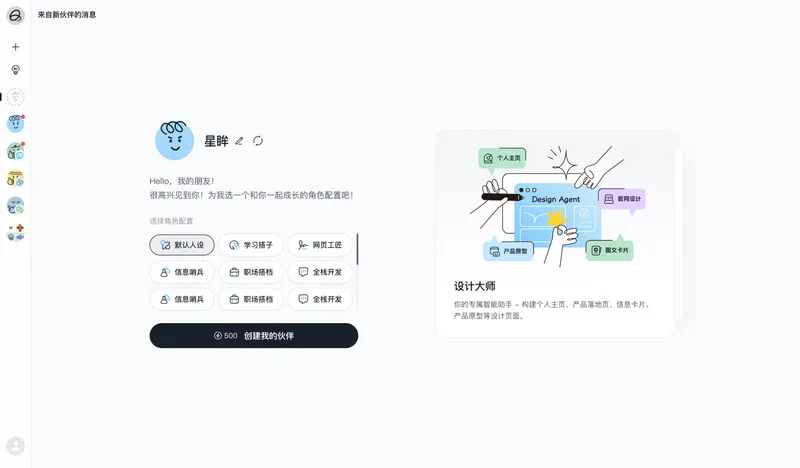
我把这个项目的核心从“生成一个首页”改成“建立一套首页配置和判断方法”。在开始设计前,先明确页面的类型、展现形式、技术栈和参考分工,再进入具体实现。这样做的目的不是限制创意,而是让设计生成有一个可靠的起点,让后续迭代有方向可循。
I shifted the core of this project from “generating a homepage” to “building a homepage configuration and decision-making method.”
Before starting the design, the page type, presentation format, tech stack, and division of references are clarified first, and only then does the process move into concrete implementation. The purpose is not to restrict creativity, but to give generated design a reliable starting point and give later iterations a clear direction to follow.
我的流程通常从一个简单判断开始:先判断这是 landing、dashboard、作品集、OKR 还是简报,再写清楚它最适合的展现形式和技术栈。
My process usually starts with a simple judgment: first determine whether the page is a landing page, dashboard, portfolio, OKR page, or briefing, then clearly define the most suitable presentation format and tech stack for it.
我也给这个系统设定了一些视觉约束。比如不让页面只停留在一个漂亮首屏。信息汇总型模板必须包含 hero、主区和副栏,并且有清晰的四档信息权重:主标题、章节标题、字段内容和辅助说明。这样无论页面是 dashboard、作品集还是简报,都能保持基本的信息秩序。
I also set clear visual constraints for the system. For example, a page should not stop at a beautiful hero section. Information-heavy templates must include a hero, a main content area, and a sidebar, with four clear levels of information hierarchy: primary title, section title, field content, and supporting notes. This keeps the information structure organized across dashboards, portfolios, and pitch-style pages.
*Click to switch effects*点击切换效果
*Workflow
拿到第一版 HTML 后,我会把它作为方向验证,而不是最终成品。后续迭代重点放在字体、配色、素材、文案替换,以及容器尺寸、栅格、排版节奏和层级关系调整;若出现卡顿,则排查动画、渲染和资源加载。这个过程让页面从“生成结果”逐步变成“被设计过的结果”。
After receiving the first HTML version, I treat it as a direction check rather than the final output. The following iterations focus on replacing fonts, colors, assets, and copy, while refining container sizes, grids, typography rhythm, and visual hierarchy. If performance issues appear, I review animations, rendering, and asset loading. This process turns the page from a generated result into a designed one.
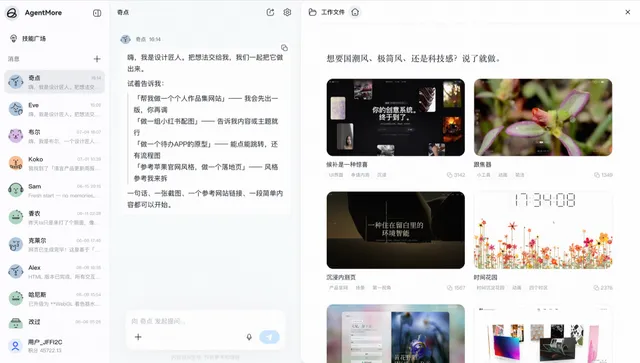
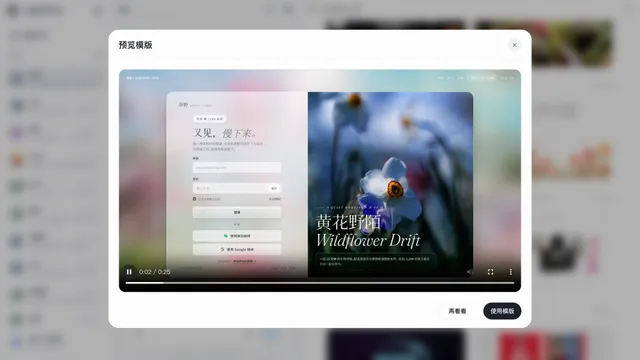
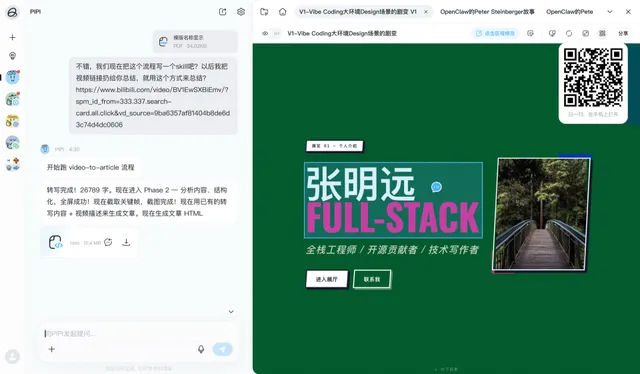
*更换不同输入验证调整case,保证普适性
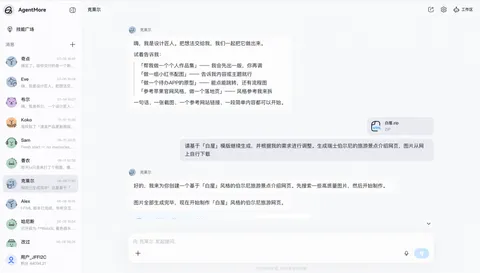
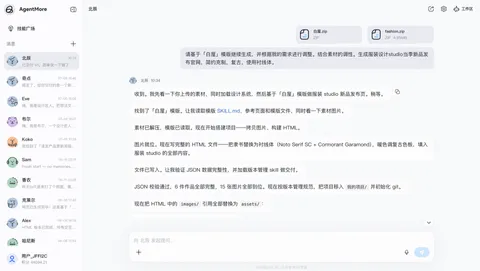
这个项目让 Design Agent 从"页面生成器"变成"设计协作者":它能判断页面类型、梳理信息层级、匹配技术栈,并把参考案例转译成可执行设计语言。 同时支持局部编辑,让用户持续调整字体、配色、图片、文案、布局和动效,减少从头生成的成本,也降低 token 消耗。
This project turns the Design Agent from a page generator into a design collaborator. It helps define the page type, structure information hierarchy, match the tech stack, and translate references into actionable design language. It also supports local edits, allowing users to refine fonts, colors, images, copy, layout, and motion without regenerating the entire page, reducing both workflow cost and token usage.